
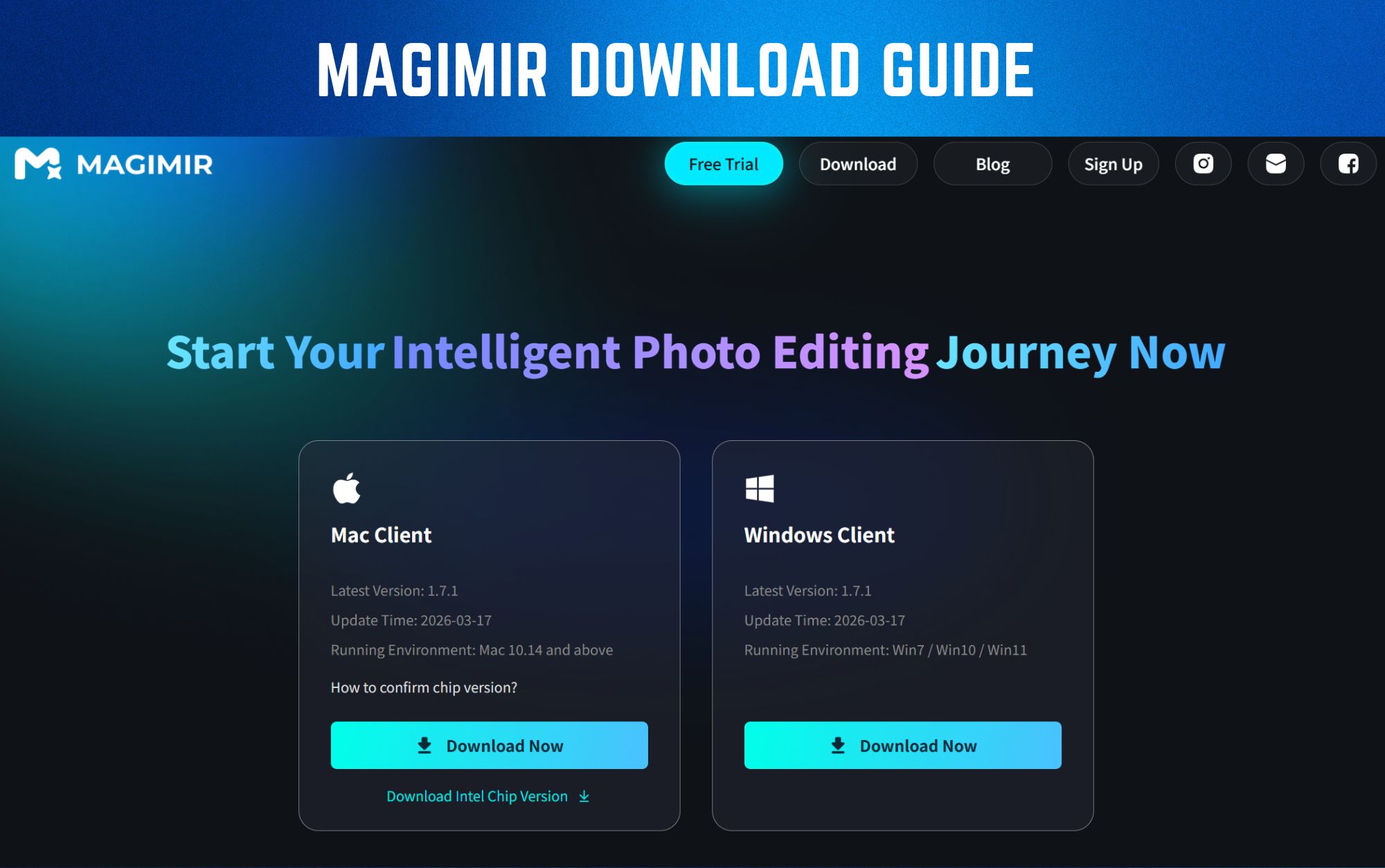
Magimir Download Guide
If you're looking for a faster way to edit portrait photos, downloading the right software is the first step.
Magimir is designed for photographers who need to process large volumes of images efficiently — without sacrificing quality.
In this guide, we’ll walk you through how to download, install, and start using Magimir in just a few minutes.
Where to Download Magimir
To get started, always download Magimir from the official website.
👉 Visit: https://www.magimir.com
On the homepage, you’ll find a Free Trial button that allows you to download the latest version of the software.
This ensures:
- You get the newest features
- Your installation is secure
- You avoid unofficial or outdated versions
Step-by-Step: How to Download and Install Magimir
Step 1 — Download the Software
- Go to the official website
- Click Free Trial
- The installer will begin downloading automatically
If the download does not start, you can manually click the Download button at the top-right of the page.
Step 2 — Install Magimir
- Open the downloaded file
- Follow the installation instructions
- Choose the version that matches your system (Windows or macOS)
Installation typically takes less than a few minutes.
Step 3 — Create Your Account
After installation:
- Open Magimir
- Sign up using a valid email address
- Enter the verification code sent to your inbox
This step activates your account and allows you to access the software.
Step 4 — Log In and Start Free Trial
Once logged in:
- Your free trial will begin automatically
- You can start editing photos immediately
- Most features will be unlocked during the trial period
What You Can Do After Downloading Magimir
Once installed, you can start using Magimir right away.
Key features include:
- Batch editing for hundreds of photos
- Natural skin retouching with texture preservation
- Intelligent color grading
- Background cleanup and object removal
- Fast export for large photo sets
This makes it especially useful for:
- Wedding photographers
- Portrait studios
- Event photographers
- High-volume editing workflows
System Requirements
Magimir is available for:
- Windows
- macOS
For best performance:
- Use a system with sufficient RAM
- GPU acceleration is recommended for faster exports
This ensures smoother editing and faster processing speeds.
Common Issues and Quick Fixes
Download not starting
- Refresh the page
- Try another browser
- Click the manual download button
Installation failed
- Check system compatibility
- Disable conflicting software temporarily
- Reinstall the installer
Login issues
- Check your email spam folder
- Make sure the verification code is correct
- Try logging in again
Need Help During Your Trial?
If you run into any issues while using Magimir, you can reach out to our support team directly.
Simply visit 👉 https://www.magimir.com and use the contact options in the top-right corner — you can connect with us via email or Facebook.
Our team will be happy to assist you.
Why Photographers Choose Magimir
Photographers are switching to Magimir because it solves real workflow problems:
- Editing hundreds of photos takes too long
- Maintaining consistency is difficult
- Manual retouching is repetitive
With Magimir, photographers can:
- Edit faster
- Keep consistent results
- Reduce post-production workload
Final Thoughts
Downloading Magimir is the first step toward a faster and more efficient editing workflow.
If you're working with large photo sets and need professional results without spending hours on manual editing, it’s worth trying.
👉 Download Magimir and start editing your photos faster today.Start your free trial now