
Remove Unwanted Objects from Photos
Remove people, objects, tattoos, background distractions, and unwanted details with natural-looking results.
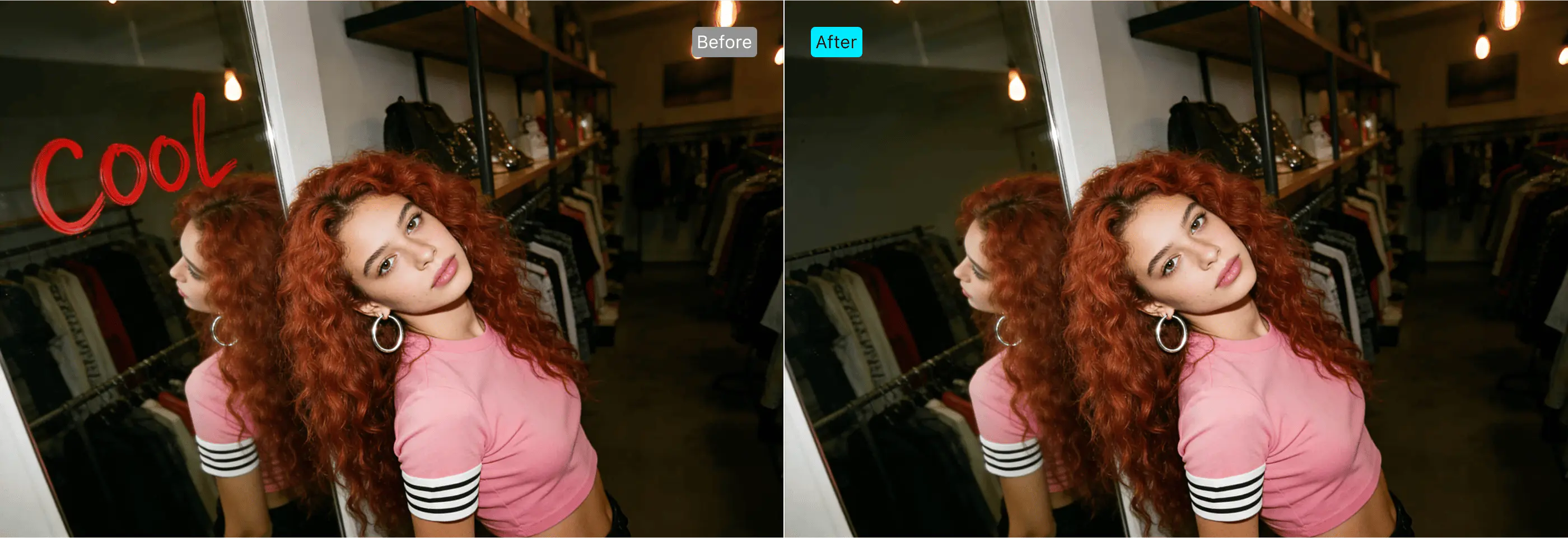
Unwanted details
can ruin an otherwise great photo
A perfect portrait can still be affected by: People walking through the background, Random objects or clutter, Tattoos that need to be hidden for a shoot, Light stands, wires, props, or scene mistakes, Distracting background details

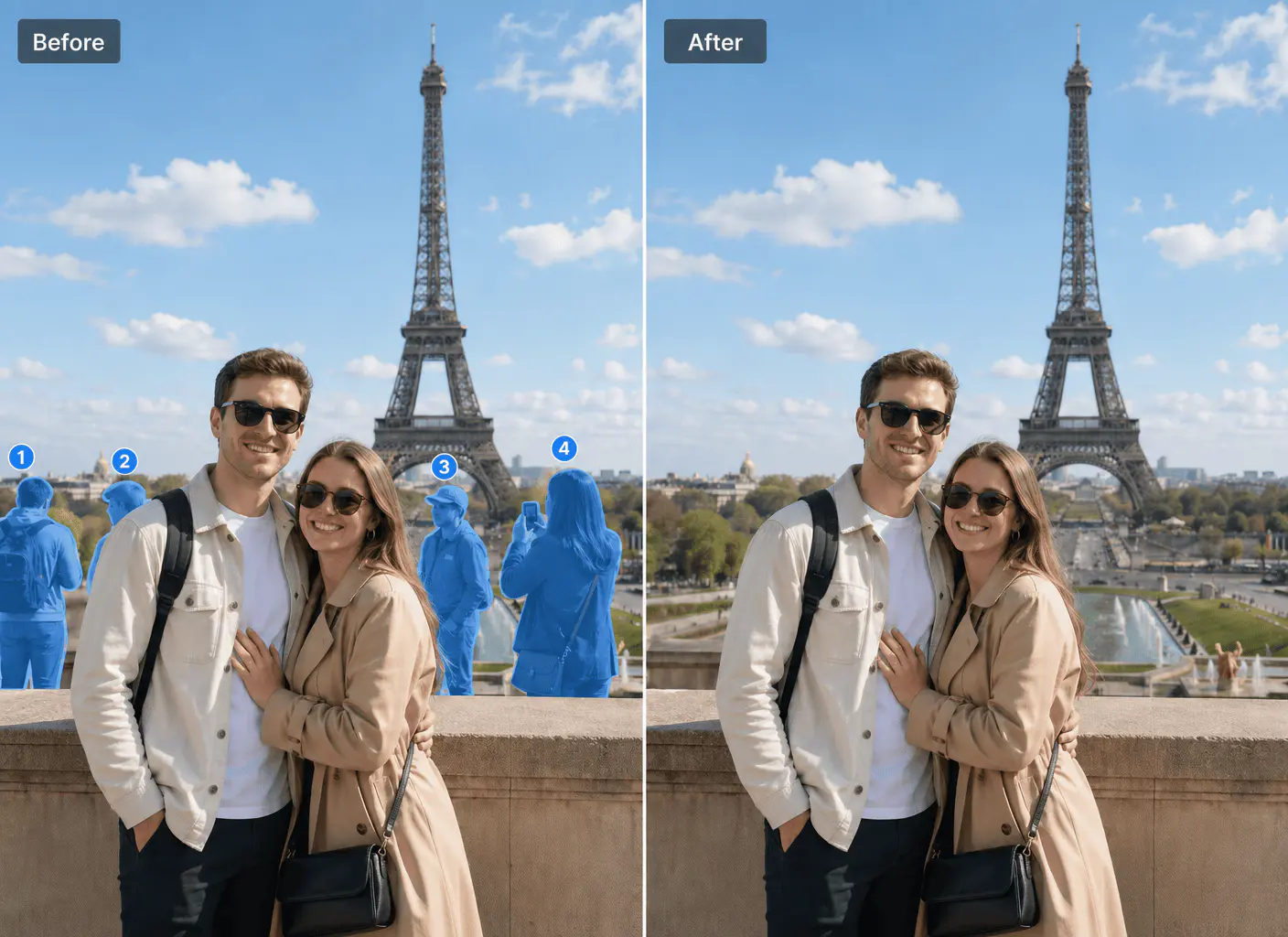
AI removes passersby
Magimir easily removes unwanted people from photos. It intelligently restores the background for a natural, seamless effect.

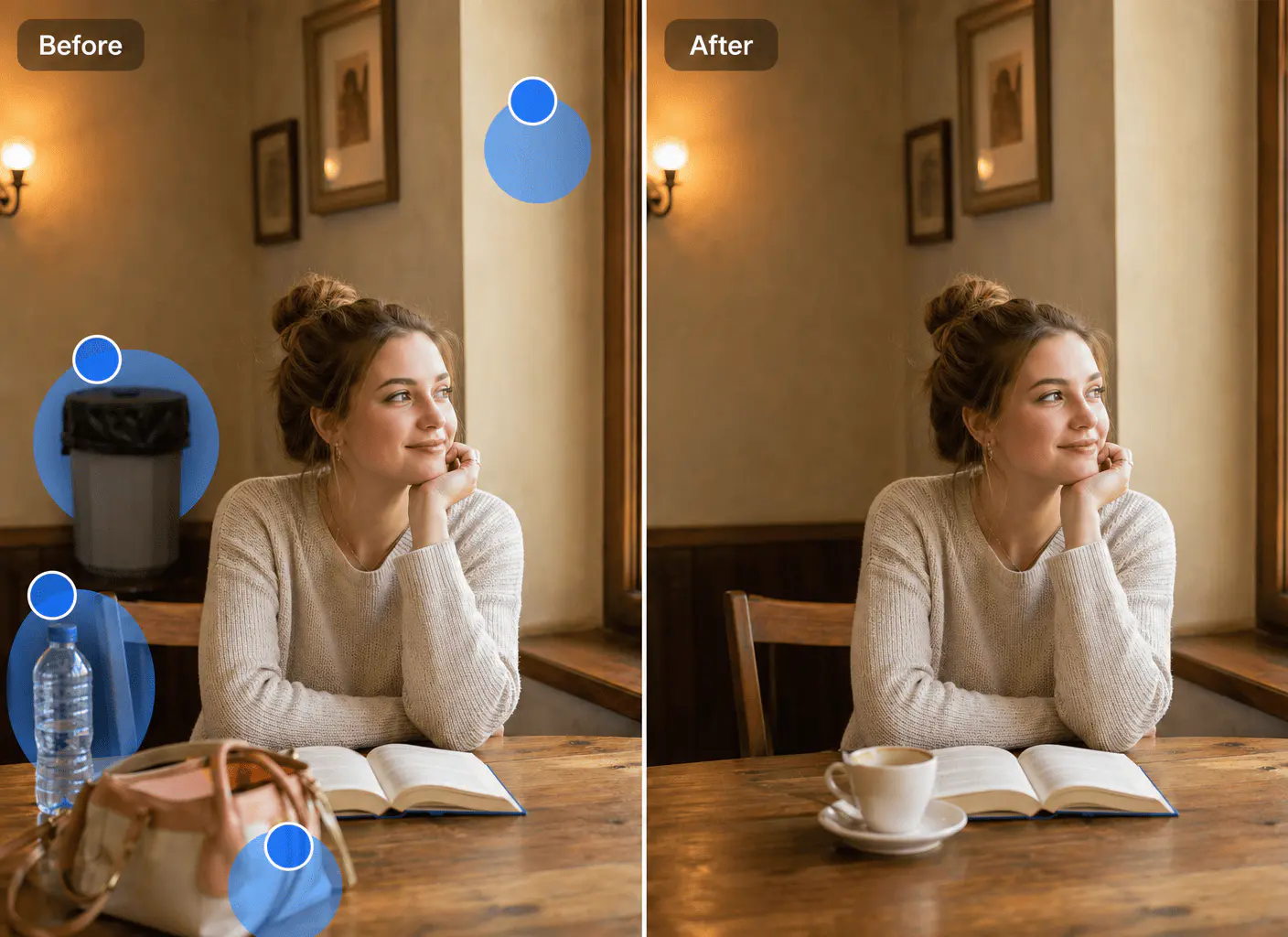
AI Item
Elimination
Magimir removes unwanted items from the screen with a single click, while fully preserving the original textures and lighting.

AI interference cancellation
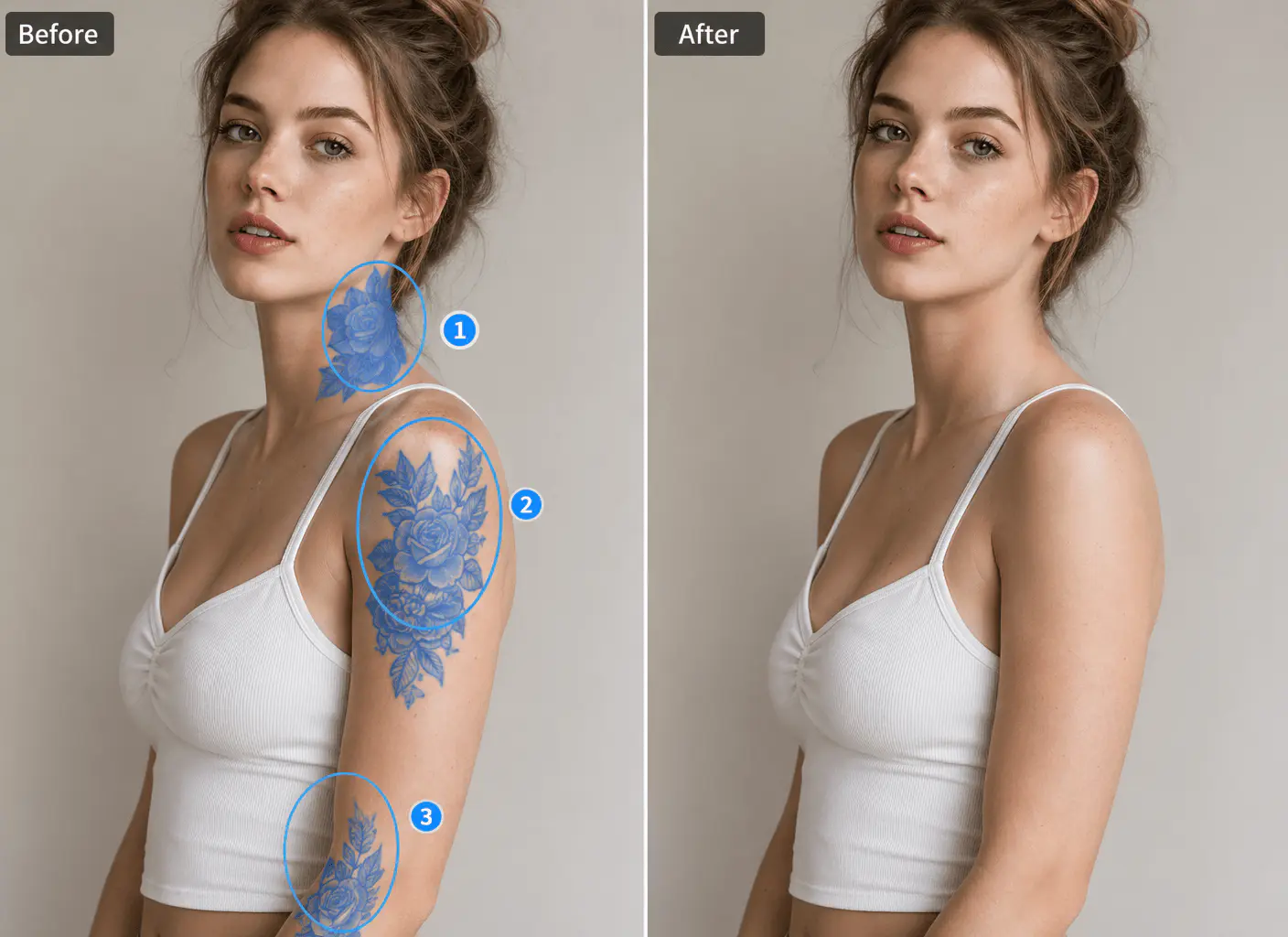
Magimir achieves flawless, seamless tattoo removal, precisely preserving natural skin texture and color.

AI Defect Elimination
Magimir automatically removes all background distractions, highlighting the main subject and creating a professional-looking result.

AI tattoo
removal
Magimir easily fixes common photo problems. Rescue bad photos with a single click and create stunning new ones.
See what Magimir can clean up
Remove people
Remove unwanted people, photobombers, or background crowds from portraits, travel photos, and wedding images.
Remove unwanted objects
Clean up bags, trash, signs, wires, props, equipment, and other distracting objects.
Remove tattoos
Hide tattoos naturally for portraits, wedding photos, and commercial shoots.
Remove background distractions
Fix messy backgrounds, light stands, floor marks, scene mistakes, and visual clutter.
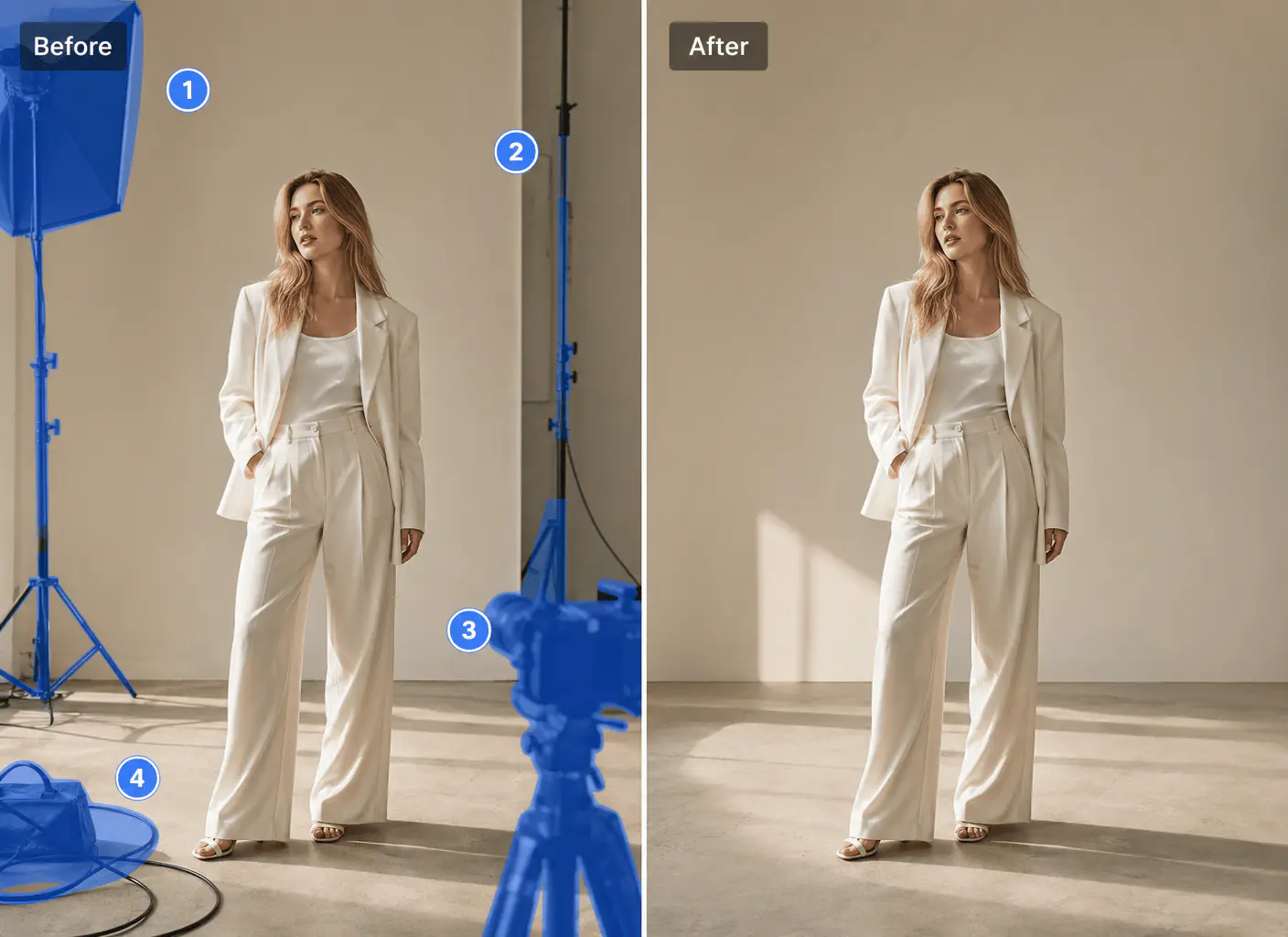
How to remove
unwanted objects with Magimir
Import → Brush → Clean → Export

Import your photo
Upload a portrait, wedding photo, travel shot, or studio image.
Brush over unwanted areas
Let Magimir clean it naturally
Export clean results
Made for real photography cleanup workflows
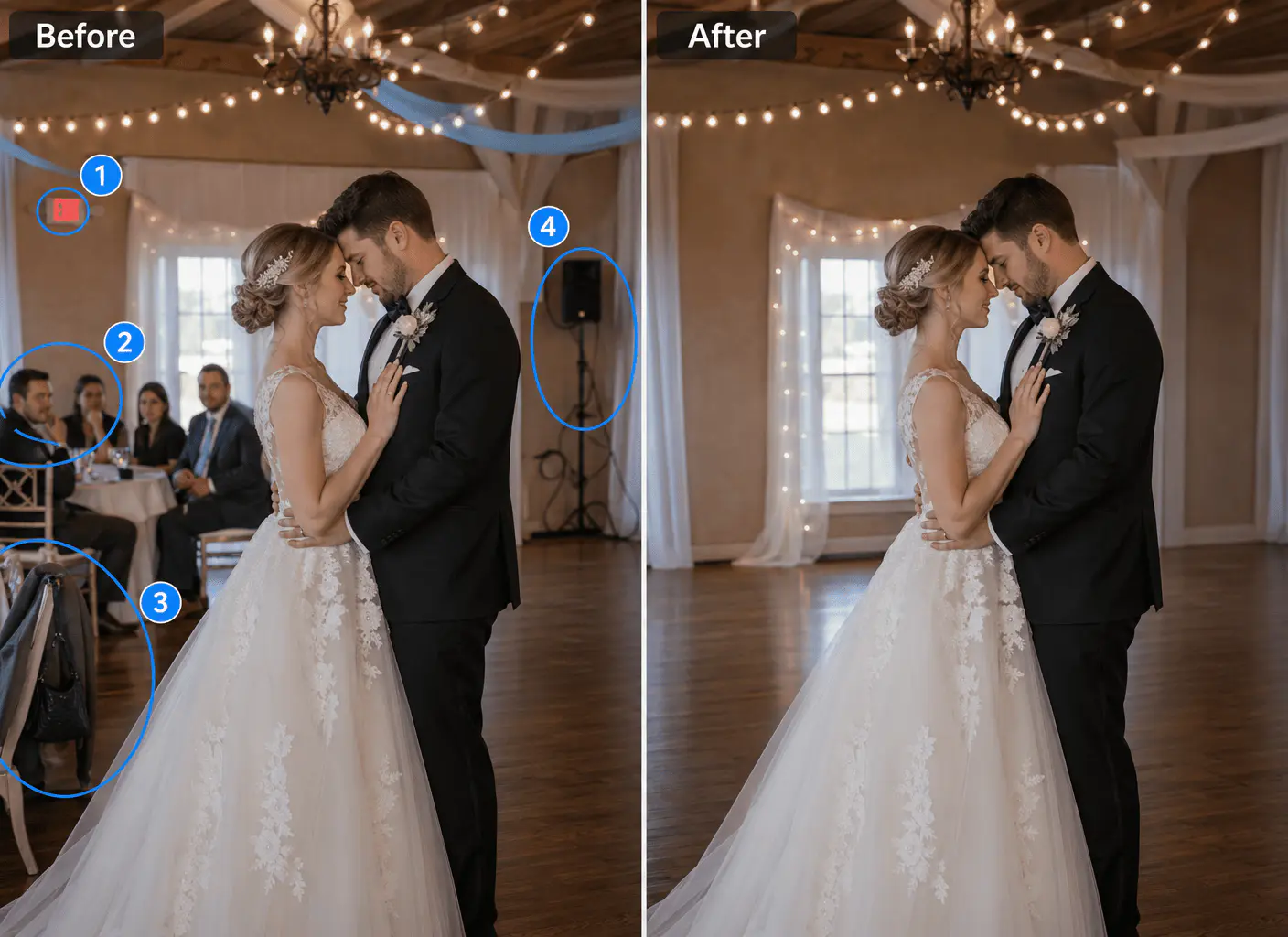
Wedding photography
Remove guests, clutter, background distractions, and scene mistakes faster.
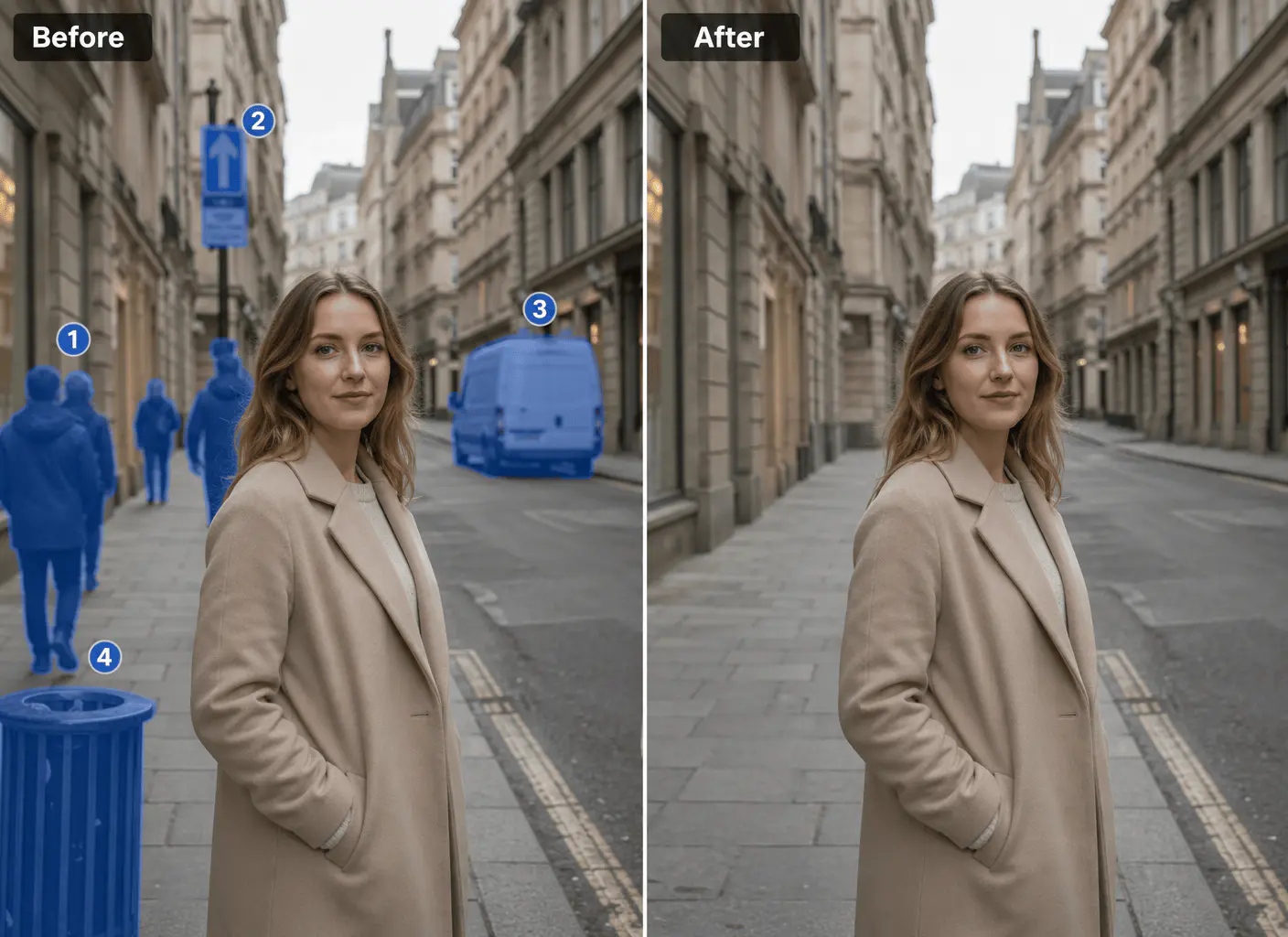
Portrait photography
Keep the focus on the subject by cleaning up anything distracting around them.
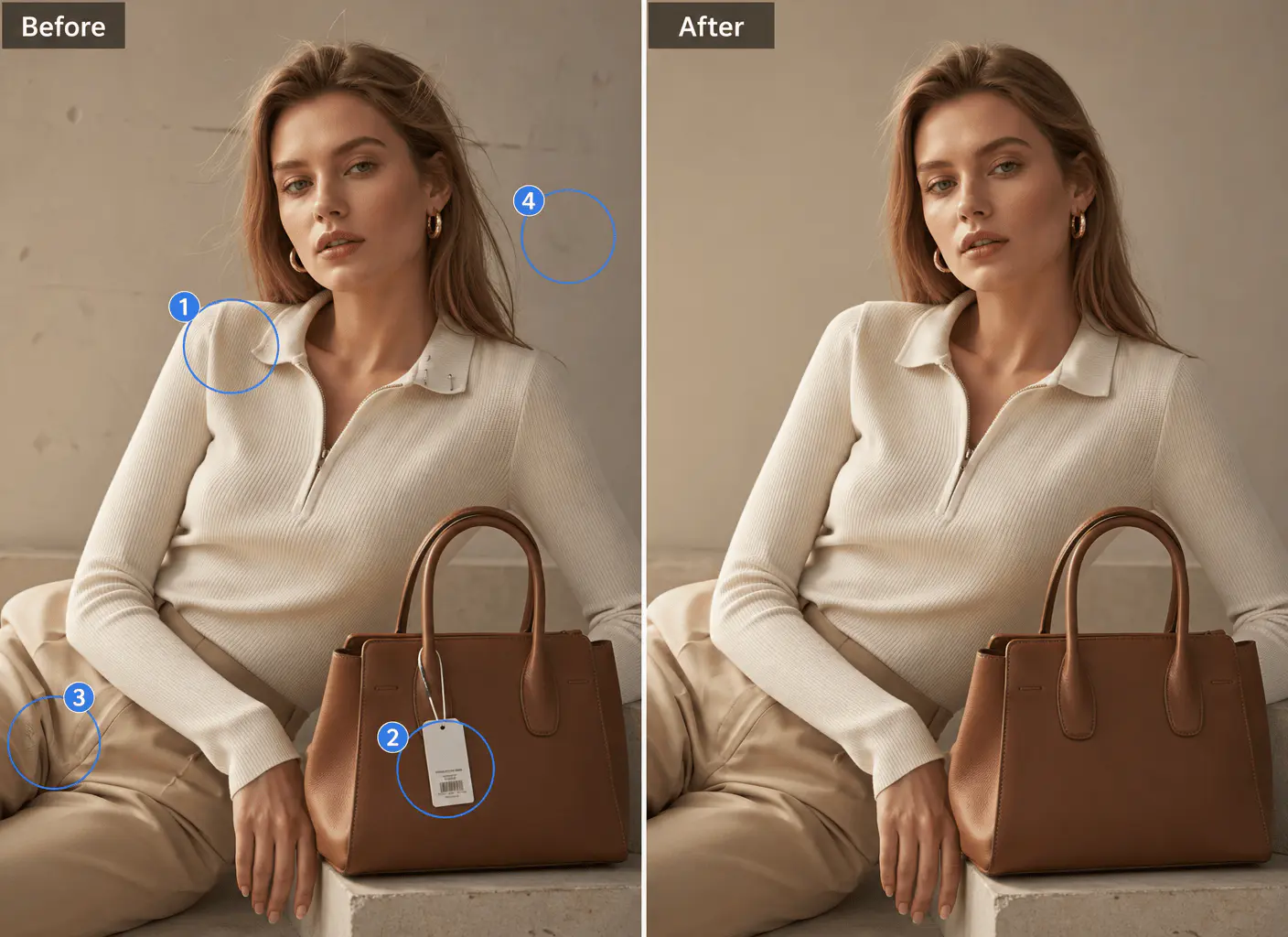
Commercial shoots
Deliver cleaner images by removing unwanted details before final retouching.
What is Magimir?
Professional Software
Powered by professional-grade AI algorithms, it delivers consistent, studio quality results for all your image editing tasks.

Desktop Level Tools
Offering desktop-caliber editing precision, it brings full pro-level tools to your fingertips without bulky software.
Photography Workflow
Built for seamless photography workflows, it streamlines post-processing from quick edits to print-ready outputs.

High Quality Output
Ensures crisp, high-fidelity outputs every time, preserving fine details for stunning results online or in print.