
What is Magimir?
It helps photographers complete high-quality portrait retouching in minutes instead of hours — reducing repetitive post-processing work and seamlessly integrating into modern commercial photography workflows.
From wedding studios and portrait photographers to high-volume photography teams, Magimir enables faster delivery, consistent quality, and lower retouching costs.
Core Features of Magimir
AI Portrait Retouching
Magimir provides advanced AI portrait retouch tools that deliver natural and professional results.
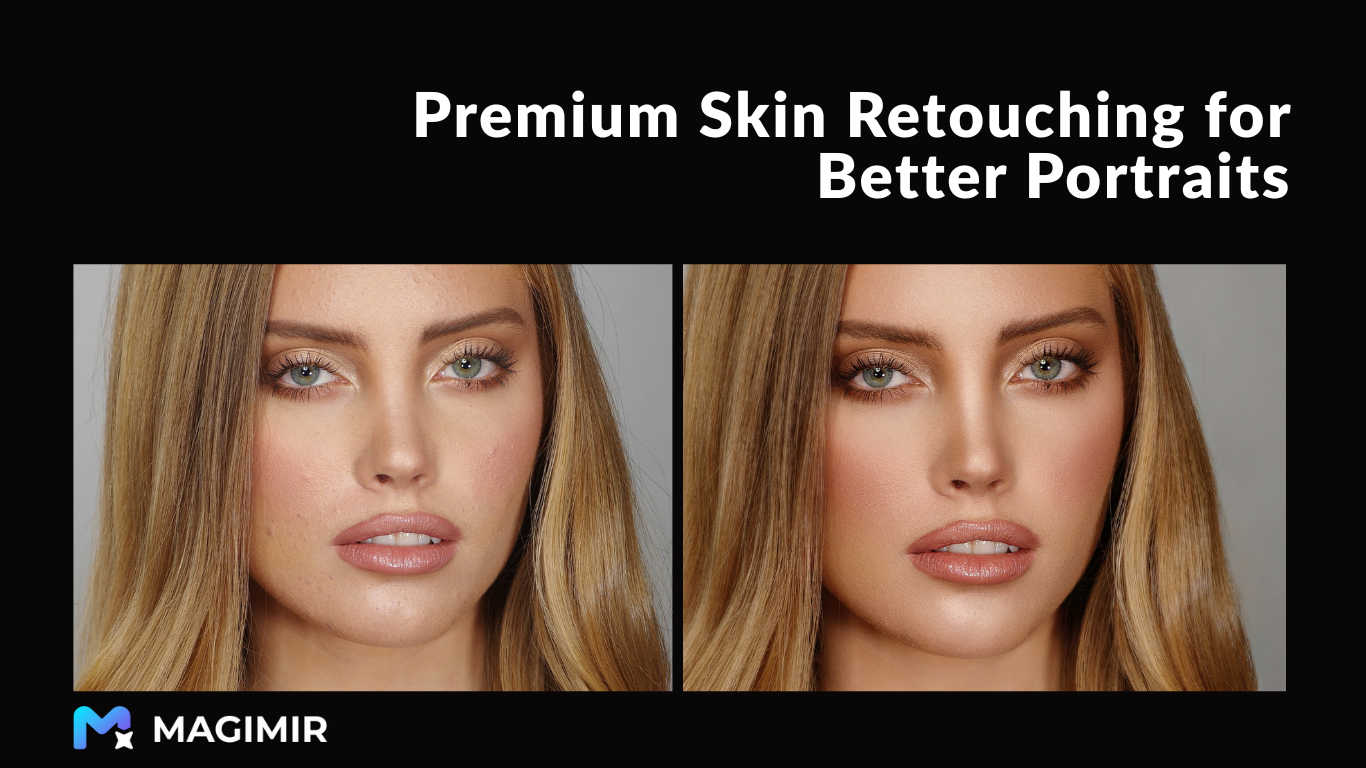
- Skin Retouching: One-click blemish removal, wrinkle reduction, and skin tone balancing while preserving natural skin texture — avoiding the over-smoothed or plastic look.
- Figure Optimization: Intelligent face slimming, body shaping, height adjustment, and proportion correction with realistic and distortion-free results.
- Facial Feature Enhancement: Enhance eye brightness, whiten teeth, refine hairlines, and subtly improve facial balance.
These features allow photographers to maintain artistic control while dramatically reducing manual editing time.
AI Batch Photo Editing
Magimir supports batch photo retouching for hundreds or even thousands of images, making it ideal for high-volume photography businesses.
- Apply unified skin retouching and color grading
- Synchronize editing styles across entire photo sets
- Deliver large projects faster during peak seasons
This significantly improves productivity for wedding studios, children’s photography studios, and portrait production teams.
Professional Color Grading & Presets
Magimir includes a wide range of professional color grading tools and built-in presets, such as:
- Film tone
- Retro styles
- Fresh and clean portrait looks
Users can also create custom presets and apply them in batch mode, ensuring consistent visual style and brand identity across projects.
Optimized Photography Studio Workflow
Magimir is built for real commercial production environments.
- Supports RAW file workflows
- Compatible with tethered shooting setups
- Includes practical tools such as: Background restoration Object and clutter removal Clothing wrinkle correction
- Background restoration
- Object and clutter removal
- Clothing wrinkle correction
This allows studios to streamline the entire post-production pipeline — from shooting to delivery.
Who Uses Magimir?
Magimir is widely used by:
- Wedding photography studios
- Children’s and family portrait studios
- Independent portrait photographers
- Commercial photography teams
- Retouching service providers
Any photography business that needs fast, consistent, and scalable photo editing can benefit from Magimir.
Platforms
Magimir is available on:
- Windows
- macOS
Pricing Options
Magimir offers flexible pricing models to fit different workflows:
- Annual subscription with unlimited photo processing
- Pay-per-photo options
- Free trial versions
This allows both individuals and large studios to choose the most cost-effective solution.
Why Choose Magimir?
Save Time
Reduce hours of manual retouching to just a few minutes with intelligent automation.
Maintain Professional Quality
Advanced algorithms deliver results comparable to experienced senior retouchers.
Lower Post-Production Costs
Minimize outsourcing expenses and optimize internal editing workflows.
Start Editing Smarter
Magimir empowers photographers to focus more on creativity and client experience — instead of repetitive editing tasks.
If you’re looking for a professional photo retouching software that improves efficiency, ensures consistent quality, and reduces costs, Magimir is built for you.